Wi-Fi is convenient and it has its place. But when a house depends on it for everything, the weak points show up at the worst time. A video call that drops. A camera feed that stutters. A Control4 touchscreen that takes three seconds to respond. None of these are faults in the devices. They are symptoms of a network asked to do too much over wireless.
The fix is not a bigger router. It is a structured cabling backbone that carries the heavy traffic over copper and leaves Wi-Fi for the things that genuinely need to be wireless, like phones and laptops.
What Cat6A Cabling Gives You Over Wi-Fi
Cat6A copper supports high bandwidth with no wireless interference. That matters for uncompressed 4K video distribution, IP camera feeds and Control4 touchscreens, all of which need consistent bandwidth. Wi-Fi has its place, but the backbone should be wired.
The difference is reliability under load. A wired connection does not compete with your neighbour's network, does not degrade through walls, and does not drop when someone turns on a microwave. It gives the same speed at 2am as it does during the evening peak when every device in the street is competing for spectrum.
Latency is the other factor. Wireless adds a small delay to every packet. On its own, that is fine. But for a Control4 system coordinating lighting, climate and video, consistent low latency matters. Wired connections keep that delay predictable, which keeps the system responsive.
Where to Run Cabling in a Smart Home
Think about every device that can be wired and cable to it. Wall touchscreens, TV locations, the rack where your network gear lives, camera locations, and any room that will have a desk or a media centre. Each one gets a dedicated run back to a central patch panel.
- TV and projector locations, for streaming and video distribution without buffering.
- Wall touchscreens, which need a stable connection to control the house.
- CCTV camera locations, so feeds stay clear and recording stays continuous.
- Home office or study areas, where a wired desk connection beats a congested wireless one.
- The central rack, where every cable terminates and the network is managed.
Running two cables to each location is good practice. One for now, one for later. The cost of the second cable is small compared to the cost of fishing another one through finished walls. You can read more about how we approach this on our streaming and network setup page.
Enterprise Access Points for the Wireless Side
For the wireless side, we install hardwired enterprise access points from Araknis and Pakedge. Placed strategically through a home, they deliver coverage from the basement to the pool pavilion without dead spots. Each access point is wired back to a central rack, so the Wi-Fi is fast because the backbone is fast.
The difference between a consumer access point and an enterprise one is not just speed. It is the ability to handle many devices at once without choking. A house full of phones, tablets, touchscreens, cameras and streaming devices needs an access point that can manage that load. A single consumer unit will struggle long before the enterprise one breaks a sweat.
Planning the Rack and Patch Panel
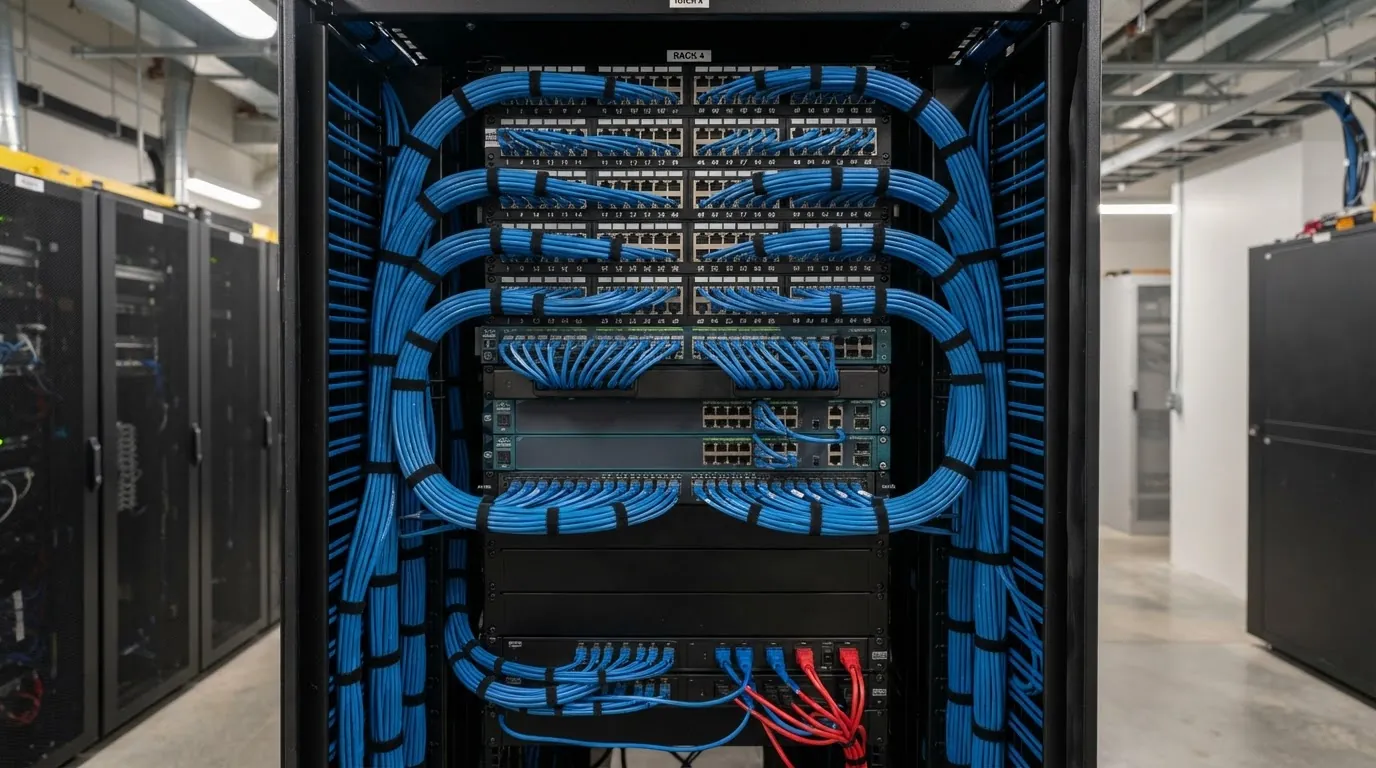
Every cable in the house terminates at a central rack. The rack holds the patch panel, the network switch, the access point controller and the Control4 equipment. Keeping it in one place means the system is manageable. You can see what is connected, trace a fault, and add a device without hunting through the house.
The rack should be planned early, including where it lives. A cupboard under the stairs, a dedicated utility room, or a space in the garage. It needs power, ventilation and enough room for the equipment plus some space to grow. Cramming it into a space that is too small leads to overheating and tangles of cable that are hard to service.
Why This Matters for Offices Too
The same principles apply to a commercial office. Staff on Wi-Fi alone will hit congestion during meetings and large file transfers. A structured cabling backbone with wired desk connections and well-placed access points handles the load. The office does not grind to a halt when three people join a video call at the same time.
If you are fitting out an office in Essendon or setting up a home in Caulfield, the approach is the same. Cable the fixed devices, use enterprise wireless for the mobile ones, and keep it all managed from a central rack.
Common Mistakes With Data Cabling
The most common mistake is running a single cable to each location. Devices multiply. A TV location that has one cable today might need three next year. Running spare conduits or extra cables during the build costs a fraction of what retrofitting costs.
Another is placing the access point badly. A single access point in the centre of the house sounds logical, but walls, floors and metal framing attenuate the signal. Placing access points where the devices actually are, and wiring each one back to the rack, gives better coverage than one powerful unit in the middle.
The last is using the wrong cable grade. Cat6A is the standard we recommend for smart homes and offices because it supports the bandwidth current and near-future systems need. Older cable grades will bottleneck the network and limit what the house can do.